Give your customers a climate score on every company
One free API call returns the DitchCarbon Score, industry rank and climate commitments for any company your platform holds.

What the API returns
Your customers are asking for sustainability insight inside the tools they use every day, and building a climate dataset is not your product. The Company Climate Profile API is the light way to deliver on that demand. It answers three questions about any organisation in one response: who it is, how it scores, and what it has committed to. Give it a company name, website or identifier and the entity is resolved and profiled live, so a supplier or counterparty nobody has looked up before gets the same record as one that has been on the platform for years. DitchCarbon is the Scope 3 emissions platform for enterprises. It combines verified emissions data for over 2 million organisations, built on primary emissions data wherever it exists, with the tools procurement, sustainability and finance teams need to measure supply chain and portfolio emissions and deliver measurable reductions. The profile API carries the summary layer of that record into your product.


Emissions figures, scope breakdowns, source documents, targets and history are not part of this API. They are available through the full DitchCarbon API, which is licensed separately and needs a platform account. The profile API is free under the terms below; the full API is billed on a different model.
What can your platform do with a company climate profile?

Answer the sustainability question without building the dataset

Put a score in every record from day one

Let customers act on it inside your workflows

Send them deeper when they need it
Moving from a single disclosure source
Many platforms show their users a score or a disclosure flag from one reporting programme. That leaves a blank against every company outside the programme, which on a typical supplier list is most of it.
The Company Climate Profile API keeps the shape your users already know: a yes or no flag, a score, and a link through to the detail. What changes is coverage. DitchCarbon can score any company, in any country and any industry. Over 2 million organisations are already on file and return at once. A company we haven't seen before is researched and profiled on request, usually within 24 hours. Where a company has disclosed nothing, it still gets a score, built from its peers, its industry and other indicators, so no row is left blank.
For a transition, run both side by side for a cycle and compare what your users see. The free terms already cover display in a commercial product, with the DitchCarbon logo and a profile link wherever a score appears, so attribution is settled before you switch.
How do I get access?
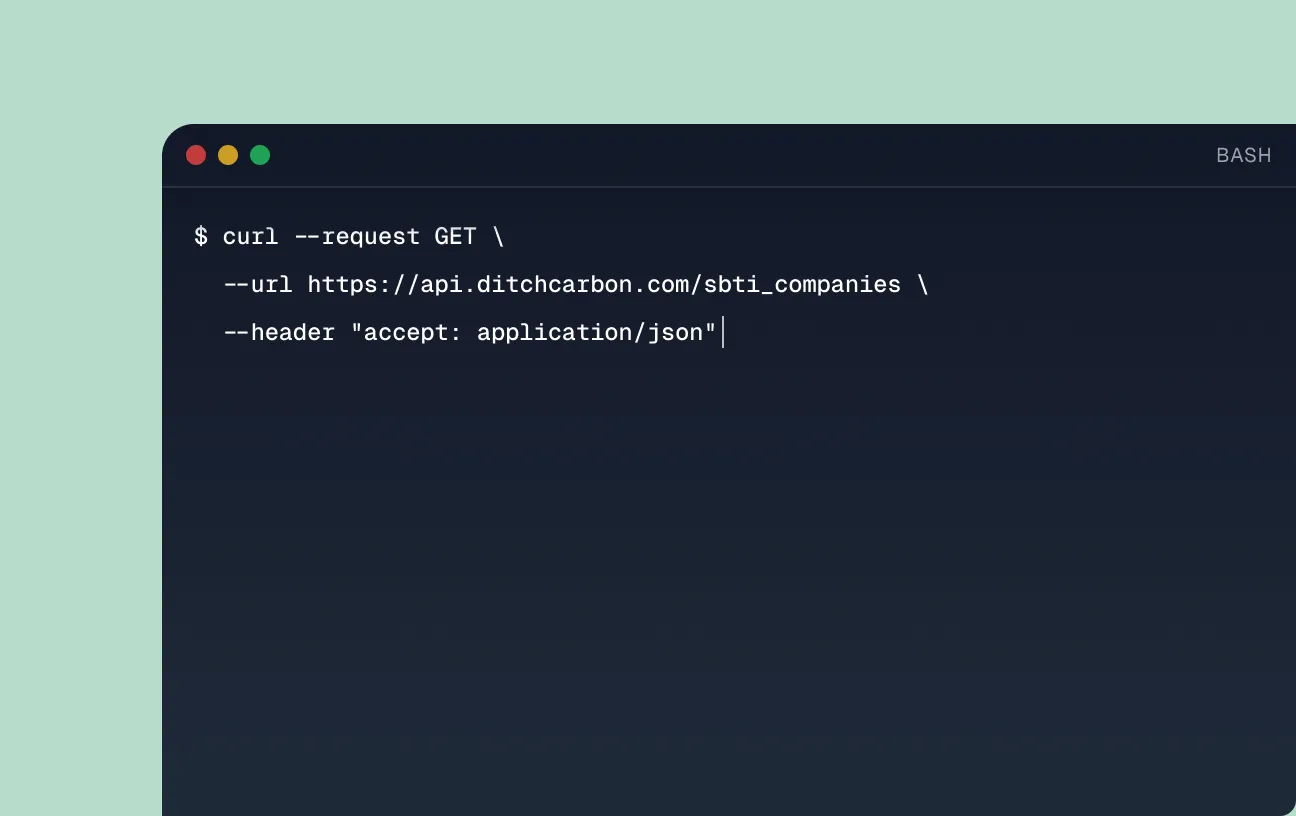
Post the identifiers you hold for a company, and get the organisation's climate profile back as JSON. Any company can be requested: where a record already exists it is returned at once, and where it does not, the entity is resolved and profiled, usually within 24 hours, with the record's status updating as it is processed. The response is small by design, so it maps to a handful of fields on your supplier or counterparty object without transformation.
The response carries the matched organisation, the DitchCarbon Score with its industry percentile, industry rank, regional rank and industry mean, and fourteen commitment flags. Identify an organisation by name, website, duns_number, lei_number, isin_number or sp_global_number, and pass your own external_id so the record maps straight back to yours. Where the request resolves to a subsidiary or a parent, organization_relationship_type says so, and matching_organization names the record the answer belongs to, so your customers never see a silent mismatch.
Request an API key and authenticate with a standard Bearer token. One key covers the Company Climate Profile API and the free SBTi API, and the same key works across the rest of the DitchCarbon API if your customers go on to license it.
What does free cover?
The Company Climate Profile API is free for many use cases, including embedding the score and commitment flags in a commercial software product for your customers to see and act on. Two conditions apply wherever the data is displayed.

Wherever a score or a commitment flag from this API appears in your product, the DitchCarbon logo appears with it. Logo files and placement guidance are available on request.
Each displayed score links to the organisation's public profile on ditchcarbon.com, using the matching organization.link field in the response. The profile is where your customer can see what the score rests on, so the attribution does a job for them as well as for us.
Bulk collection, resale or redistribution of the data as a dataset, and use inside a competing emissions data product, are outside the free terms and need a licence. Request volumes above the free allowance also move to a licensed plan.
Read the licence agreementWhich teams use this?
Procurement and spend management.
A climate score and commitment flags on every supplier record and in every sourcing event, so category managers see climate standing next to price and lead time when the decision is being made.
Supplier onboarding and third-party risk.
A score and fourteen flags at the point a supplier is onboarded or reviewed, with any company resolvable on request, so the sustainability check happens in the same flow as the financial and compliance checks.
Finance, treasury and portfolio systems.
A climate profile for every counterparty in a portfolio or ledger view, private companies included, as the first pass before the full emissions record is licensed for the lines that need it.
How do I start?
Four steps to your first call
- Request your free API key using the form below.
- Copy the Bearer token into your application or your API client.
- Post a company name, website or identifier (DUNS, LEI, ISIN or S&P Global) from one of your records to the organisations endpoint.
- Check the reference documentation for the full response fields, and the attribution guidance for the logo and profile link.
Authorization: Bearer <token> header.Frequently asked questions
Get answers to the questions procurement and sustainability teams ask most often.
The DitchCarbon Score is a 0 to 100 measure of an organisation's climate standing, calculated by DitchCarbon from what the organisation has disclosed and committed to. The API returns the score with its percentile within the organisation's industry, an industry rank and a regional rank, and the industry mean score, so a single number can be read in context inside your product. The full breakdown behind a score is on the organisation's public profile on ditchcarbon.com, and how the score is calculated is set out on the methodology page.
How DitchCarbon calculates the score
Yes. Embedding the score and commitment flags in a software product your customers pay for is within the free terms, on two conditions: the DitchCarbon logo is shown wherever the data appears, and each score links to the organisation's public profile on ditchcarbon.com. Reselling the data as a dataset, or using it inside a competing emissions data product, needs a licence.
No. The profile API returns identity, the DitchCarbon Score and ranks, and fourteen yes or no commitment flags. Emissions by scope and category, emission factors, source documents, reduction targets and year on year history are in the full DitchCarbon API , which covers the same organisations, is licensed separately from this free API and needs a platform account. A customer of yours who wants that depth can license it directly, and the entity resolution your integration has already done carries over.
Fourteen flags, each a yes or no. Thirteen initiatives: Science Based Targets initiative (committed or validated), CDP, The Climate Pledge, UN Global Compact Climate Champions, RE100, Climate Action 100+, Race to Zero, RSPO, PRI, Responsible Business Alliance, Responsible Minerals Initiative, Responsible Labor Initiative and EcoVadis. The fourteenth records whether the organisation has at least one reduction action on record. The same list appears on every public profile under Climate initiatives, so a flag in your product and a badge on the profile always agree.
The free SBTi API returns the detail of an organisation's science-based target: status, classification, target year and net zero commitment, snapshotted weekly from the SBTi register. The Company Climate Profile API returns a broader and shallower record: the score, the ranks and a yes or no across thirteen initiatives and reduction actions, SBTi among them. Platforms that surface the target detail use both, with one key.
By company name or website, or by a DUNS, LEI, ISIN or S&P Global identifier, with your own external ID carried on the record. There is no list to check against first: any company in your platform can be requested, and the entity resolution step decides which record it is. Organisations already on file return at once; a new one is usually profiled within 24 hours, with its status updating as it is processed. The response names the record the answer was matched to, and says whether it is the organisation you asked for, its parent or a subsidiary, so an ambiguous name never returns a silent mismatch.
Point them to their public profile on ditchcarbon.com and the claim route on it. Claiming a profile is free, and the corrections an organisation makes flow through to everyone who looks it up, including through your integration.
Your users keep a yes or no flag, a score and a link to the detail behind it. The score is the DitchCarbon Score, 0 to 100 with its industry percentile and ranks, and every company your platform holds gets one. Emissions by scope, targets and source documents sit in the full DitchCarbon API, which is licensed separately.
Yes. Displaying the score and commitment flags inside a commercial product is within the free terms. Show the DitchCarbon logo wherever a score or flag appears, and link each score to the organisation's public profile using the matching organization.link field in the response. The profile shows what the score rests on, including the source documents, so a customer who questions a score can see why it is what it is.
The same record as for any other company: a DitchCarbon Score with its industry percentile, and its commitment flags. The score draws on what the organisation has disclosed and committed to, wherever it published it. A supplier not yet on file is resolved and profiled on request, usually within 24 hours.
In time to test the new data before a February renewal. The API key is free and the endpoint is one REST call with a Bearer token, posting a company name, website or an identifier you already hold: DUNS, LEI, ISIN or S&P Global. Organisations on file return at once. The response is a handful of fields, so it maps onto an existing supplier or counterparty record without transformation.
Get free access to the Company Climate Profile API
Request your API key and give your customers a climate score and commitment record on every company in your platform, resolved live from the records you already hold. Free for many use cases, with the DitchCarbon logo and a link to the profile shown wherever the data appears.