.svg)
Configurable columns and custom fields
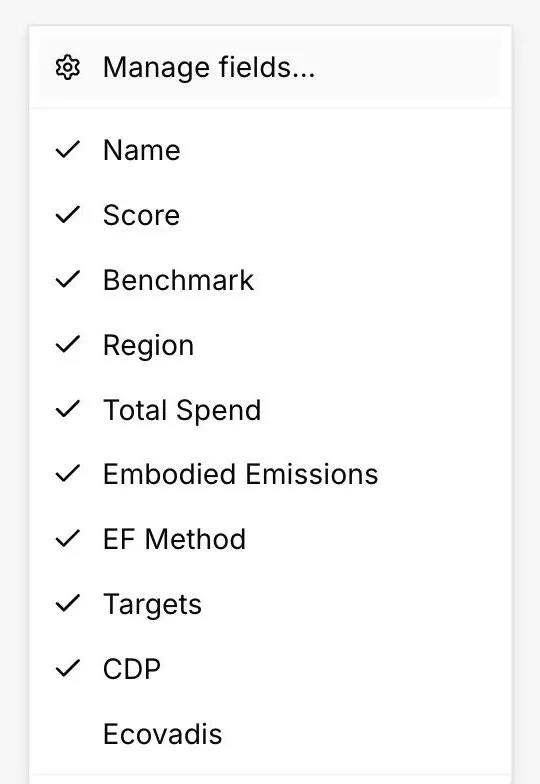
DitchCarbon lets a team choose which columns appear in the organisation table and add custom fields of its own, so internal data sits next to the emissions data.
Yes. Every standard column can be shown or hidden, and custom fields can be added for the attributes a team already tracks, for example contract owner, tier or renewable electricity share. Custom fields appear in the table next to the emissions columns rather than in a separate system.
Most teams already hold something the emissions data does not know: which category manager owns the relationship, which tier the organisation sits in, whether a contract is up for renewal. Kept in a separate spreadsheet, that context never reaches the moment a decision is made.
Custom fields put it on the same row as the emissions and the score, so the view a buyer opens is the whole picture rather than half of it.
Column visibility matters more than it sounds. A procurement review and an audit walkthrough want different columns from the same table, and neither wants to scroll past the other's.
Common questions

See it on your own suppliers, portfolio or profile
Numbers you can defend within 2 weeks, or one profile that answers every buyer asking.