.svg)
Portfolio filters
DitchCarbon narrows a portfolio on eleven attributes, including year, project, region, industry, emission factor method, target status and disclosure status.
Eleven filters, combinable: year, project, region, industry, emission factor method, whether product data exists, CDP status, EcoVadis rating, target status, where a target came from, and organisation status. Year and project also rescope the headline figures above the table, so the totals belong to the view.
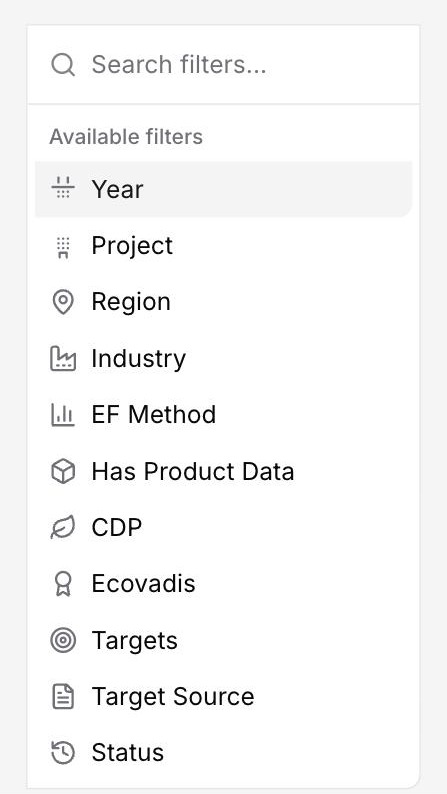
Filters exist so that a portfolio total can be cut the way a question is actually asked. One reporting year for the annual report, one region for a local entity, one industry for a category review.
Target source is the filter teams reach for later than they expect. A validated science-based target and a self-declared ambition are not the same evidence, and separating them changes what a supplier engagement target is worth.
Year and project go further than the rest. They rescope the summary cards above the table as well, so the totals on screen belong to the same slice as the rows underneath them.
Common questions

See it on your own suppliers, portfolio or profile
Numbers you can defend within 2 weeks, or one profile that answers every buyer asking.